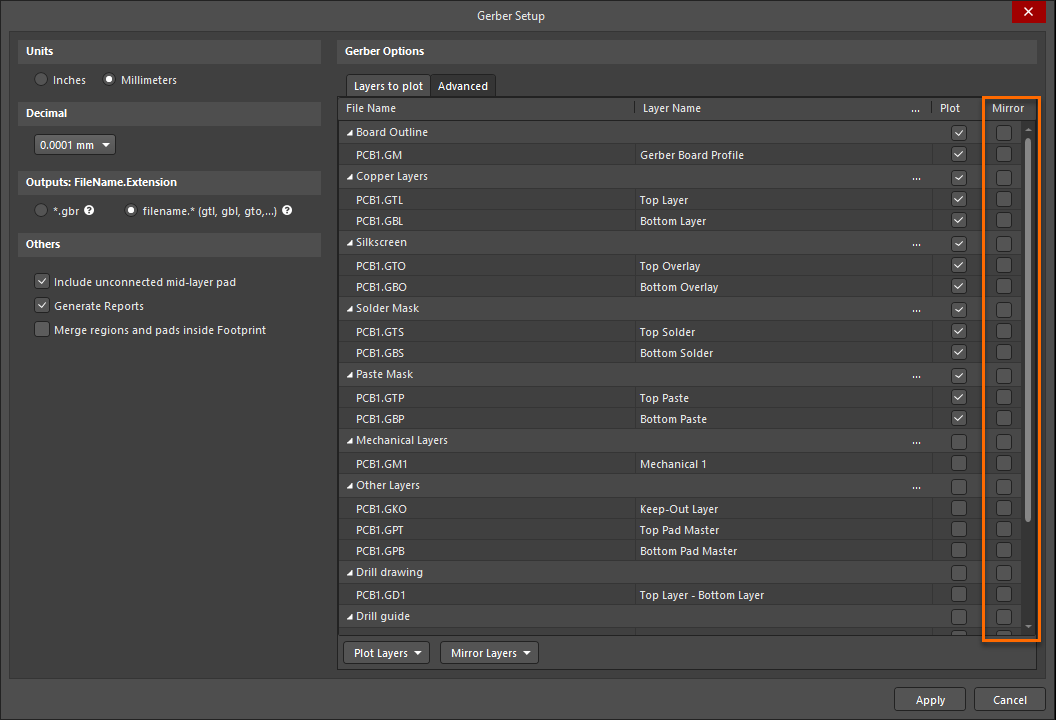
KB: Enable mirroring Gerber layers
Created: November 11, 2024 | Updated: July 08, 2025
 Altium Designer
Starting in version: 22
Up to Current
In the previous versions, there was an option to mirror Gerber outputs which I cannot find with the latest versions.
Solution Details
With version 22.4 of Altium Designer, the Mirror column for Gerbers is no longer enabled by default and will be missing in the Gerbers setup. This is due to the newer versions of Altium Designer using the Modern Gerber dialog. 
You would need to enable this by going to: Preferences » System » General » Advance (at the bottom right). 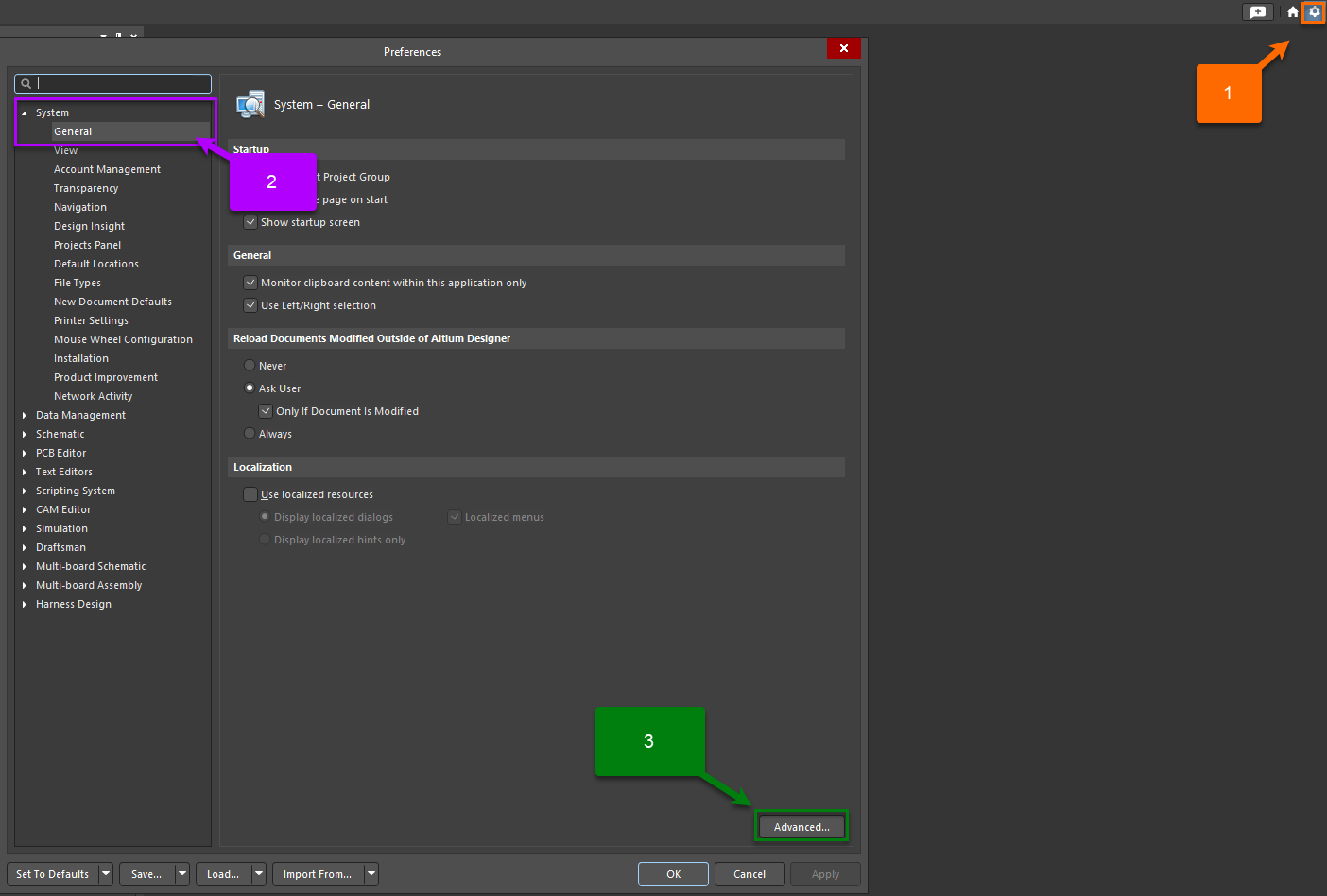
With the Advanced Settings panel on, search for: UI.Unification.GerberDialog.ShowMirrorColumn.
And then enable this by checking the box under the "Value" column.
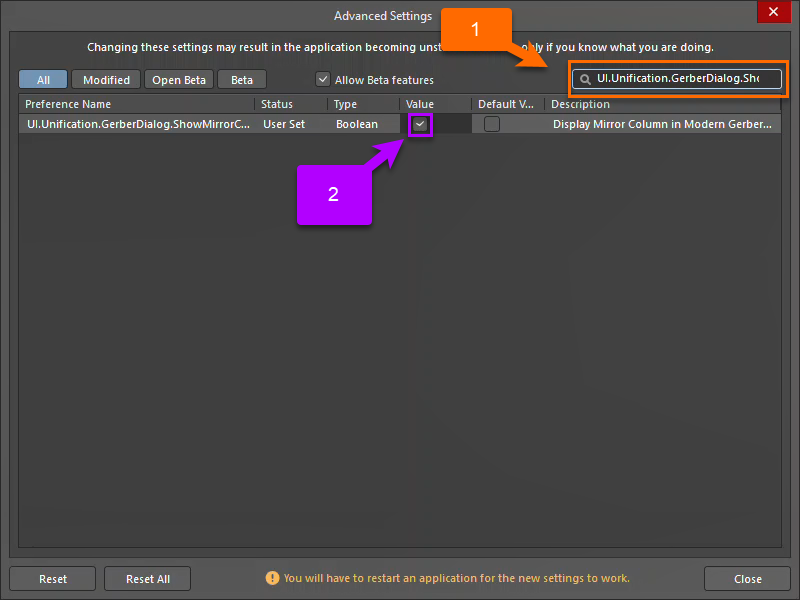
With this enabled, you should get a warning that you would need to restart the application. Restart Altium and run Gerbers output, this should bring back the column.