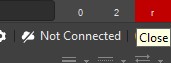
KB: Have min/max/close window buttons on the title bar at the top-right shown as icon rather than text characters
Created: 11月 11, 2024 | Updated: 7月 01, 2025
 Altium Designer
Minimize, maximize, and close window buttons can be displayed as characters '0', '2', and 'r' respectively, and this behavior of title bar buttons shown as text characters is attributed to the Windows environmental option "Beta: Use Unicode UTF-8 for worldwide language support".
Solution Details
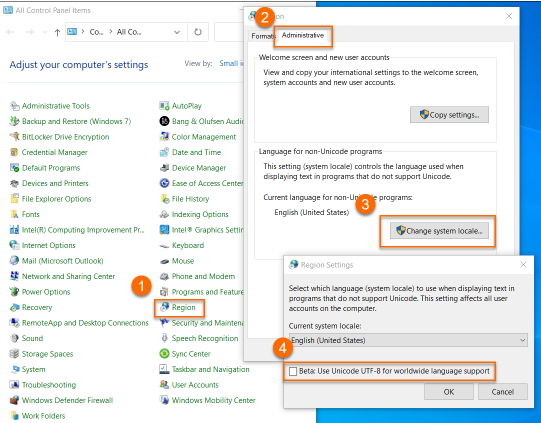
Open the Windows Control panel » Region » Administrative tab » Change system local button » make sure the "Beta Use Unicode UTF-8 for worldwide language support" is unchecked. A re-boot may be necessary.